

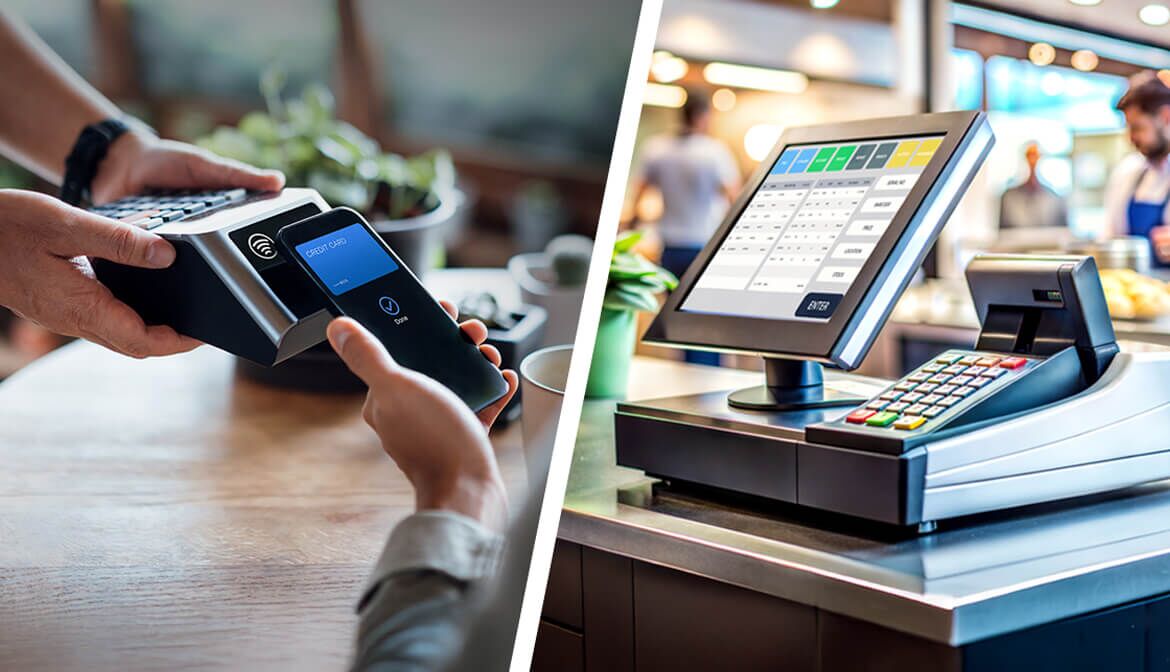
POS System vs. Payment Terminals: What’s the Difference?
Written By
Miguel Ruano
Quick, reliable payment experiences have become the norm. In 2024, credit and debit card usage reached 35% and 30% of transactions, respectively.
Consumers and businesses are used to and expect a frictionless transaction event. Meeting these expectations begins at the counter. A point-of-sale (POS) system and a card payment terminal may sit side by side, but they play different roles in the payment process.
Below, we’ll cover what each one does, how they work together, and the difference between POS and payment terminal setups so you can decide which option suits your small retail business best.
Payment Terminal Definition
A payment terminal is the device customers use to pay with their credit or debit cards. It reads the card’s chip, accepts a tap or processes a swipe, essentially acting as the hub for card processing at checkout.
Some payment terminals work on their own, while others connect directly to a POS system. You’ve likely seen them in different forms:
- Mobile terminals
- Wi-Fi-enabled card readers
- 4G wireless models
- Traditional countertop devices
Whatever the style, their primary job is simple: to process payments.
Point-of-Sale Systems Explained
In contrast, a point-of-sale system is a full hardware-and-software solution designed to manage much more than payments. Its capabilities often include:
- Processing customer payments
- Managing inventory
- Generating sales reports
- Sending digital receipts
- Storing customer data
- Tracking employee activity
- Operating across multiple locations
In other words, payment processing is just one feature of a POS system.
For example, imagine you’re running a small boutique that uses a POS tablet at the counter. The tablet runs the POS software, which rings up sales, updates inventory and records customer details. Next to it is a separate card reader (the payment terminal) that securely processes the customer’s card.
When a customer makes a purchase, the tablet sends the total to the card reader. The card reader then communicates with the payment processor behind the scenes to approve the transaction. After approval, the POS software records the payment straightaway and updates your records, keeping everything in sync at checkout.
POS System vs. Payment Terminal: Key Differences
Understanding the differences between small business POS systems and a credit card processing terminal can help you avoid paying for features you don’t need or missing the ones you do:
- Functionality: A payment terminal is just that. It solely accepts payments, whereas a POS system offers business management tools and accepts payments.
- Data: Unlike payment terminals, whose sole function is to accept and process payments, POS systems can capture data and generate reports.
- Integration: Payment terminals are standalone pieces of equipment. However, POS systems can typically integrate with other software, including CRM, payroll and accounting systems, allowing your small business to function more efficiently.
- Cost: Terminals usually cost less up front, but POS systems deliver greater long-term value by supporting business growth and streamlining operations.
For businesses that plan to grow and require features such as inventory tracking, sales reporting and software integrations, a POS system is the better choice. By comparison, if you simply need to accept card payments — for example, at a seasonal market stall or a shop that relies heavily on cash — a basic payment terminal will suffice.
POS vs. Card Terminal: The Pros and Cons for Small Business Owners
When deciding which option is best for your business, it’s essential to consider the pros and cons of each.
Payment Terminals
Pros
- It’s a low-cost solution for small retailers with simple needs.
- Simple setup.
- Easy maintenance with little or no additional support needed.
- Reliable for small-volume financial transactions.
Cons
- It offers limited functionality.
- It doesn’t offer any analytics or reports.
- It’s not scalable as your business expands.
POS System for Small Business
Pros
- Provides business management tools, including sales reports for accounting, actionable data insights and error-reducing pop-ups at checkout.
- Tracks inventory in real time and keeps stock levels in sync across locations.
- Scales with your business by allowing easy updates, such as adding new products or syncing inventory, across multiple sites.
- Supports staff scheduling and rota management to improve efficiency.
Cons
- The up-front and ongoing costs are higher.
- You will need to train staff to use it.
- POS systems often come with stricter security requirements. This is manageable if you choose a system that complies with PCI DSS standards.
How to Choose the Right Solution for Your Business
Choosing between a POS system and a payment terminal comes down to how you run your business today and how you plan to grow. Start by asking yourself:
- How many transactions do I process daily?
- Do I need to track sales, stock levels or staff hours?
- Will I be adding new locations or products in the near future?
- Are robust security and same-day settlement reporting non-negotiable?
For small retailers or seasonal setups that simply need to accept card payments, a standalone payment terminal often provides everything required. However, for businesses that want to capture sales data, manage inventory or link payments with accounting software, a POS system is the smarter choice.
Some retailers find that a hybrid approach (using a POS system with an integrated payment terminal) delivers the best of both worlds by keeping checkout seamless while centralizing reporting and reconciliation.
Whichever option you choose, make sure it suits your current needs while still providing reliable security, clear reporting and straightforward end-of-day balancing as your business grows.
Making the Right Choice for Your Checkout Setup
The tools you use at checkout do more than process payments; they set the pace for your day and shape your customers’ experience. Thankfully, finding the right setup doesn’t have to feel overwhelming. Focus on what matters most to your business right now, and go from there.
Ready to explore your options? Learn more about tools designed to keep your checkout fast, secure and reliable.
CONNECT WITH A RELATIONSHIP MANAGER
COMPLETE THIS FORM OR CALL
877-770-BANC (2262)